 Österreich
 EU
EU
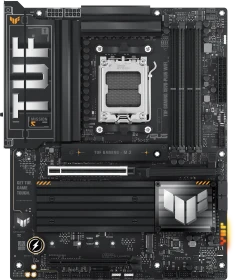
ASUS TUF Gaming X870-Plus WIFI (AMD AM5)
90MB1IU0-M0EAY0
ab
€ 239,88





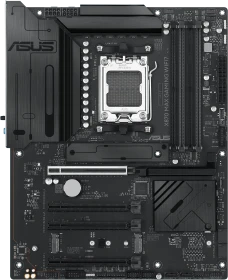
AM5-Mainboards, die sich preislich oberhalb von 500 Euro bewegen, werden vielen Anwendern schlichtweg zu teuer sein. Und gerade dann machen die X870-Mainboards Sinn, da diese nur einen Promontory21-Chip mitbringen. Von ASUS gibt es mit dem TUF Gaming X870-Plus WiFi eine genügsame, aber übersichtliche Platine für AMDs AM5-Prozessoren, deren Features dem Großteil der Anwender sicherlich ausreichen dürfte. Wir haben das ASUS TUF Gaming X870-Plus WiFi für unsere Leser getestet.

Moderne Schnittstellen wie PCIe 5.0 für die Grafikkarte und zwei M.2 SSDs sowie USB4 und Wi-Fi 7. Robuste Verarbeitung, gute Kühlung und praktische Features wie Q-Release und Q-LED. Das ASUS TUF GAMING X870-PLUS WIFI vereint viele gute Features unter einem neuen Chipsatz und bietet somit eine gute Basis um auf die neue Ryzen Serie aufzubauen.


At RM 1,839, the price of the ASUS TUF Gaming X870-PLUS WiFi is on the higher side. It sits on the higher side of the X870 motherboard lineup, which might raise some eyebrows. But if you break down what you’re getting, like USB4, robust VRMs, PCIe 5.0, easy Wi-Fi antenna setup, and one of the better BIOS experiences around, it’s easier to justify. Sure, you’re paying more, but you’re getting quality-of-life improvements that are often missing from lower-tier boards. It’s also a solid middle ground for AM5 adopters who don’t want to spend extra on X870E boards that offer features they might never use. If you value a clean BIOS, better I/O, and straightforward installation without excessive RGB or flashy gimmicks, the TUF Gaming X870-PLUS WiFi is a board worth considering.
I have a feeling that the styling on the TUF Gaming X870-Plus Wifi is going to be a little divisive and honestly, it isn’t the styling that I would want. But I think overall the large truck-like styling not only fits the TUF brand perfectly, but it also seems to target a market that no one else has in the past and I like seeing that. It’s easy for a lot of PC styling to echo chamber a lot and just boil back down to one look that is trending at the time and Asus is doing a good job of avoiding that with this along with their other lines like the Pro-Art that go in completely different directions. The TUF Gaming X870-Plus Wifi as a board had a good variety of connection options including a little of everything for USB connectivity. You also get three aRGB headers which is nice to see, it wasn’t long ago when one of those was all you get. There were a few tradeoffs though, for example on the RGB header front you don’t get any of the older 4-pin RGB headers. One of those might be nice, especially with some AIO and other devices that can use those to tie in with your motherboard lighting. You get a lot of M.2 expandability, but again you trade off with limited lanes meaning when you use all four of those you lose your second PCIe slot and the main one drops down to x8. Because we now have one other X870 board to compare the TUF Gaming X870-Plus Wifi too already tested. The TUF Gaming X870-Plus Wifi did have smaller VRM heatsinks compared to the Aorus board and a little more heat soaked into the PCB when testing. More importantly, that comparison also hurts the TUF Gaming X870-Plus Wifi when it comes to pricing as well with its 309.99 MSRP. That puts it $20 higher and other than more fan headers and 30-watt charging on the front panel USB it feels like the two boards should have price parity not have one priced higher. Overall though, I like what Asus has done with the TUF Gaming X870-Plus Wifi. But do keep an eye on pricing to help with your purchase because that does change as time goes on.
I’m a big fan of the ASUS TUF Gaming X870-Plus WIFI, and generally always been a fan of the TUF series. I like the mentality of less is more, but then making sure what they have included is of the highest quality and more robust. They tend to give you the performance and features of much more expensive motherboards, with added reliability, at a much lower price; what’s not to love about that? With military-grade components, such as higher-rated capacitors and a thicker PCB, more armour on the PCIe slot, and thicker heatsinks, it ticks a lot of boxes. Of course, this all means great cooling performance and overclocking too, especially thanks to the robust 16+2+1 80A Power Stage VRM design. When it comes to connectivity, you get a pair of ultra-fast USB4 Type-C ports that run at 40Gbps, allowing for some impressive external storage performance, and there’s both 2.5GbE LAN and the latest WiFi 7 to get the best performance for those of you with fibre internet connections.
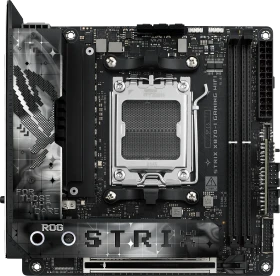
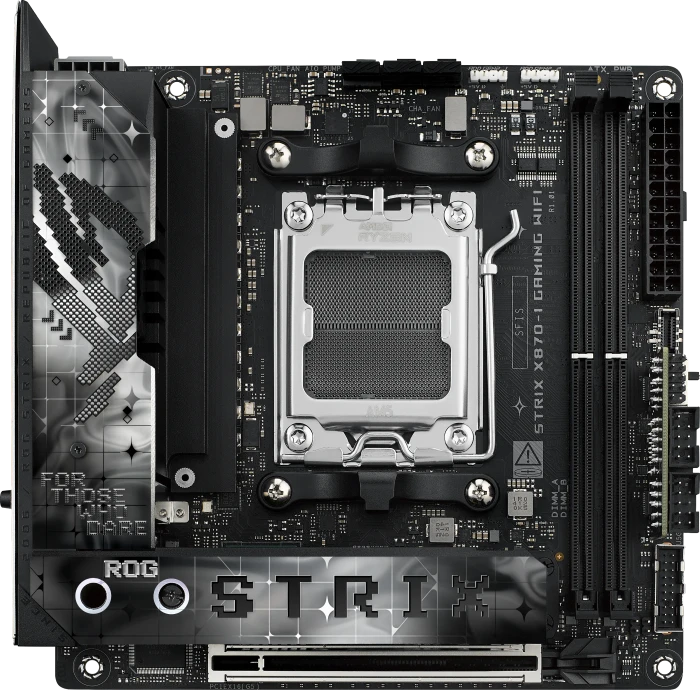
The ASUS ROG Strix X870-I Gaming Wi-Fi is in a class of its own. It packs an impressive feature set into its diminutive size and is not overpriced either.
We had a long break from ASUS products, so it’s time to catch up. This time, we take a closer look at a motherboard that has been on the market for some time, but is still the best ASUS ITX model for the AM5 socket – the ROG STRIX X870-I GAMING WIFI. In the upcoming weeks, we will present two of the latest models designed for gamers and PC enthusiasts. I won’t share which ones, but you can expect they’re from the Neo series. Going back to the STRIX X870-I GAMING review, the motherboard promises all the best in the mini-ITX form factor. It’s also equipped with a robust power section and supports fast storage and RAM. What else could we ask for from an ITX-size motherboard? You can be sure there is more, but I will tell you about it in our review. ASUS ROG STRIX X870-I GAMING WIFI Motherboard Review
With the general absence of High-End Desktop in the Mini-ITX department for a while, it's usually been ASUS that's enjoyed flagship status of both AMD and Intel platforms, or at the very least being the manufacturer of the most expensive options. The ROG Strix X870-I Gaming Wi-Fi is no exception. At almost $450 currently, it's nearly $200 more than any other Mini-ITX option for Socket AM5. That figure may change when MSI releases its highly-anticipated X870 model to sit alongside the MPG B850i Edge Ti Wi-Fi, but for now, if you want the priciest Mini-ITX board with the most unique and premium set of features, this is it. The board looks the part too, as does its accessory box.

After taking a look at a few of Asus’s full-sized options, it's high time we check out what they have to offer for smaller builds. Currently, Asus has just one X870 board smaller than ATX and that is their ROG Strix X870-I Gaming Wifi. I was impressed with the ROG Strix X870E-E so I’m excited to see what they packed into the Strix X870-I Gaming Wifi. With the next generation of X3D CPUs around the corner, I can’t be the only one starting to think about a new SFF build to save some space in my office and to hit a few LANs. Will the Strix X870-I Gaming Wifi be the ticket?
The benefits of the ASUS ROG Strix X870-I Gaming WIFI Motherboard are obvious, as it’s mini-ITX, so if you’re eager to build a small form factor gaming PC or workstation, then it’s obviously going to appeal to you. Despite the smaller size, it managed to mingle with the best of the best motherboards, by which I mean more expensive ATX boards, throughout all our benchmarks. The 16+1 80A power stage is incredibly potent and makes light work of the Ryzen 9950X, allowing it to hit its boost clocks with ease. However, it’s not going to have the extreme overclocking potential of the more extremely focused ATX boards, but I think that much is obvious. You do get a pair of PCIe Gen5 M.2 drive mounts though, which is impressive for a board of this form factor. Furthermore, there’s PCIe 5.0 for the expansion slot and support for fast DDR5 memory kits, so it’s not lacking in hardware support. It also has an impressive array of USB ports on the rear I/O, meaning it’ll easily handle all your peripherals, and super-fast storage devices thanks to the dual USB4 40Gbps Type-C ports. Plus, like all these new boards, it has built-in WiFi7 and also comes with a 2.5Gb LAN for impressive networking capabilities. Beyond that, you benefit from a suite of ASUS technologies, such as AI Overclocking, AI Cooling II, and AI Networking, ensuring everything can be tuned to its best performance with just a few clicks. Plus, premium audio hardware thanks to the built-in ESS SABRE9260Q DAC.
Strong connectivity options, good value for money, and an attractive design make this ASUS a great option for users looking to build a high-spec PC without spending huge money.
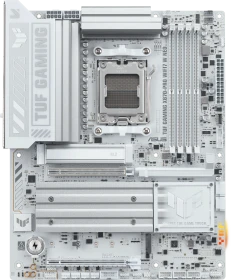
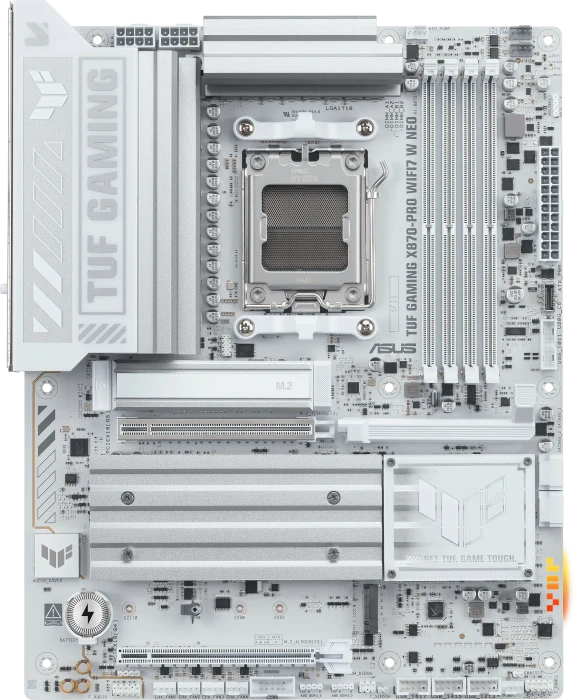
ASUS TUF GAMING X870-PRO WIFI7 W NEO is a balanced full-size AMD X870 motherboard for Socket AM5 that brings "top" capabilities to a more affordable segment. A powerful 19-phase VRM, a pair of M.2 PCIe 5.0, USB4 (40 Gb/s), Wi-Fi 7, 5GbE, and an 8-layer PCB form a solid foundation for productive Ryzen 9000 systems. An additional plus is the thoughtful Q-Design, which simplifies PC assembly. At the same time, you will have to take into account the compromises - the shared bandwidth between M.2_2 and USB4 and the limitation to two SATA. As a result, this is an interesting offer in its class for those who want the maximum capabilities of AM5 without switching to models with a dual-chip AMD X870E. And, of course, this option is especially aimed at fans of the aesthetics of light solutions.

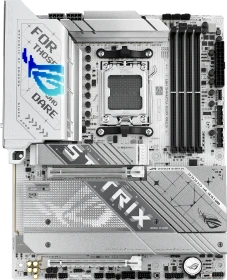
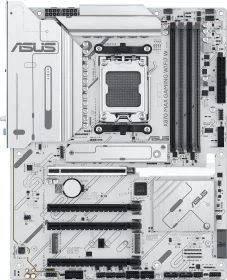
There’s a lot to love about the ASUS ROG Strix X870-A Gaming WIFI Motherboard. Firstly, it’s a gorgeous motherboard, with a largely white and silver design it’s going to appeal to those who like a lighter-looking PC build. However, there are a lot of big heatsinks, a lot of armour, and a touch of RGB lighting too, so top marks all around for the design here. The upgraded VRM hardware is going to benefit the more extreme CPUs, especially when it comes to long sessions of gaming or extensive video rendering that’ll put consistent strain on the motherboard and VRM, but that’s unlikely to be an issue here. Plus, all that power gives you plenty of headroom for any high TDP CPU, as well as a lot of overclocking potential. The storage options are fantastic too, with two PCIe 5.0 x4 M.2 mounts, as well as two PCIe 4.0 x4 M.2 mounts, giving you lots of fast storage and RAID combinations, and every drive mount comes with a massive heatsink to keep their performance running optimally. Overall, there’s really nothing about this motherboard I don’t like, with features like AI Overclocking, AI Cooling, and AI Networking putting peak performance just a few clicks away, a feature-rich BIOS, fantastic audio hardware with SupremeFX, and lightening-fast networking thanks to 2.5GbE LAN and the latest WiFi 7 technology.

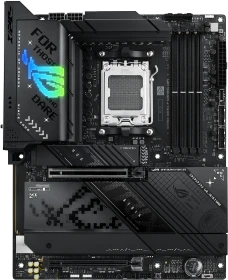
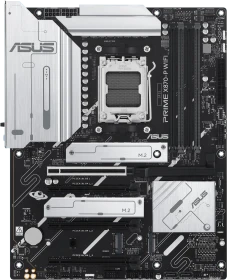
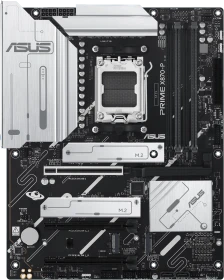
Der ASUS PRIME X870-P bietet gegenüber seinem Vorgänger mehrere Verbesserungen, insbesondere in Bezug auf Kompatibilität und Leistung und unterstützt die neuesten Ryzen-Prozessoren und DDR5-8000-RAM. Es verfügt über eine fortschrittliche Konnektivität mit WiFi 7 und USB 4.0 sowie eine verbesserte Kühlung und Stromversorgung durch eine 14+2+1 VRM-Konfiguration. Allerdings ist die Kühlung der unteren NVMe-Steckplätze unzureichend, da sie keine Kühlkörper haben, und der praktische Installationsmechanismus ist nur für den ersten NVMe-Steckplatz verfügbar, während für die anderen Schrauben erforderlich

The ASUS Prime X870-P WIFI is well equipped, and while it’s not one of the flagship motherboards, it’s a good middle ground for X870, offering a lot of useful features without anything too extreme, and will likely be all most PC gaming needs if they’re using a single PCIe 5.0 drive, a single GPU, and any of the popular AMD Ryzen 7000 or 9000 gaming CPUs. Its 14+2+1 VRM configuration isn’t the most extreme, but it’s clearly more than enough to ensure your CPU can hit its boost clocks more consistently. You still get support for the latest fast DDR5 memory, and while there is only a single Gen5 M.2 mount, there are two Gen4 and a Gen3 mount included too, albeit their usage is tied to the two additional PCIe slots. It might not have the extreme connectivity of the ProArt or the Crosshair, but the PRIME still delivers the latest WiFi 7 and 2.5 GbE LAN, which again, is plenty fast for most gamers! It also has 40 Gbps USB Type-C, and a few more 10Gbps ports too, so hooking up an external drive and all your peripherals should be easy enough. Again, if you need more connectivity, models like the STRIX X870E Gaming are available, but of course, they will cost more too.
Alle Angaben ohne Gewähr. Die gelisteten Angebote sind keine verbindlichen Werbeaussagen der Anbieter.
* Preise in Euro inkl. MwSt. zzgl. Versandkosten. Bei der Auswahl von "inkl. Versand" beinhaltet der dargestellte Preis die Kosten für den Versand. Die nicht angeführten Kosten in andere Länder entnimm bitte der Website des Händlers. Bei Sortierung nach einer anderen als der Landeswährung des Händlers basiert die Währungsumrechnung auf einem von uns ermittelten Tageskurs, der womöglich nicht mit dem im Shop angegebenen Preis exakt übereinstimmt. Bitte bedenke außerdem, dass die angeführten Preise periodisch erzeugte Momentaufnahmen darstellen und technisch bedingt teilweise veraltet sein können. Insbesondere sind Preiserhöhungen zwischen dem Zeitpunkt der Preisübernahme durch uns und dem späteren Besuch dieser Website möglich. Händler haben keine Möglichkeit, die Darstellung der Preise direkt zu beeinflussen und sofortige Änderungen auf unserer Seite zu veranlassen. Der maßgebliche Preis für den Verkauf durch den Händler ist der tatsächliche Preis des Produkts, der zum Zeitpunkt des Kaufs auf der Website des Händlers steht.