 Österreich
 EU
EU

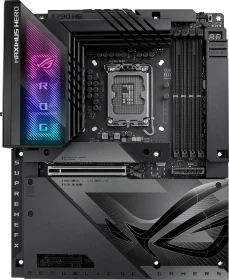
ASUS ROG Maximus Z790 Hero (Intel 1700)
90MB1CI0-M0EAY0
um
€ 1195,89
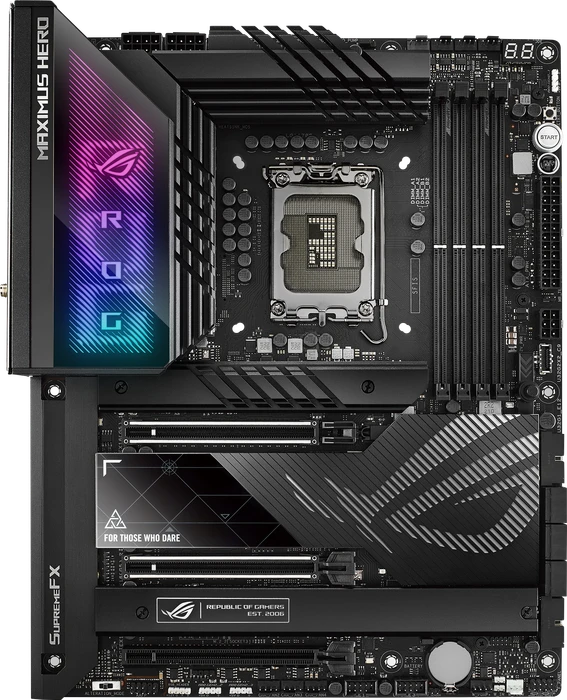





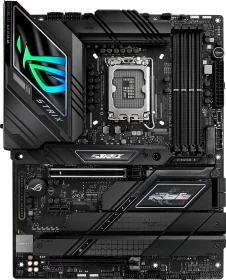
The ASUS ROG Maximus Hero continues to be a solid performer with Z790, though we feel it's time for ASUS to stop cutting corners at this price point.
The Asus ROG Maximus Z790 Hero is a very well-built, well-equipped, and good looking motherboard. From the 40 Gbps ports to the flagship-class audio, you’re not going to find many boards that look better or have better specifications. But priced at $630, you can find boards with hardware for less.
The ASUS ROG Maximus Z790 Hero motherboard ticks all the right boxes, delivering some of the fastest gaming and system performance on the market, while also maintaining impressive temperatures despite its slightly higher power draw. If you want flagship speed at 2/3 the price of the top model, then the Hero is hard to beat.
We are somewhat surprised by how well the 13900K and 13600K function. And a quality processor requires a quality motherboard. The Extreme has everything but is too expensive at $999, making this 629 USD HERO almost look cheap. Of course, it's everything but that. We're a little shocked as to how expensive PC gaming is becoming, as these prices are out of reach for 99% of end-users. However, that is a separate topic, as we must test the hardware, performance, and features. In this aspect, the HERO has everything. many NVMe options, WIFI6e however, we lack a 10 GigE jack we feel was a bit of a cheap thing to do in this price class. Of course, Thunderbolt is onboard, and that makes it even more expensive. The VRM design is more than you could ever wish or need, and the DNA of PCIe gen 4.0 and 5.0 breathes through the platform, offering you five NVMe M2 SSDs based on a blend of these connections, all heatsink cooled. The platform will also support the very fastest memories (think 7200 MHz - we dropped it in and enabled the SPD3.0 profile, and it worked beautifully); more on that in a separate article, though. Hardware wise this puppy is sound; we had no stability issues, the WIFI6 on the 5 GHz band is blazing fast, the 2.5 GigE LAN jacks perform well, the 20 90 A Power Stages and loads of connectivity in the form of M2, SATA and USB and thunderbolt, it's all lovely. It is safe to conclude that this motherboard is designed not for casual gamers or users but rather for affluent computer enthusiasts with deep pockets. This is not a viable option for a budget-conscious audience. However, each market has its own subset of consumers, and the Maximus HERO is aimed squarely at this demographic. Therefore, as a piece of hardware, it is excellent, but considerably better deals are available. This product is suitable for those that live and breathe the ASUS ROG DNA and want nothing but the best but it comes with a 629 USD asking price.

Of course that's all moot if the performance isn't there but, like all the Maximus models before it, the newest Z790 Hero is a star, able to easily overclock our Core i9-13900K (no small feat) whilst also letting it be pushed hard when left to its own devices. If you're feeling very brave and confident in your cooling setup, the BIOS even has a MultiCore Enhancement mode that is labelled "Remove All Limits". If that doesn't get the overclocker in you excited to have a one click way to reach new heights then we don't know what will. With a lot of the Z790 launch motherboards taking established brands in new directions there is something comforting about the ASUS ROG Maximus Z790 Hero. It's everything you expect it to be in terms of looks, features and performance. When the results are this good, why change? That's exactly why it wins our OC3D Enthusiast Award.
This is a gorgeous-looking motherboard, but it’s clear the huge heatsinks on the VRM, the chipset, and all those ultra-fast Gen4 M.2 mounts are doing their job, delivering consistent high-end performance during heavy workloads. It’s a good motherboard for content creators who need extensive connectivity, fast eternal storage, and multiple displays.
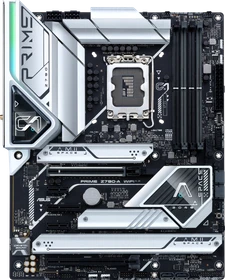
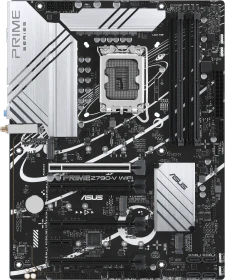
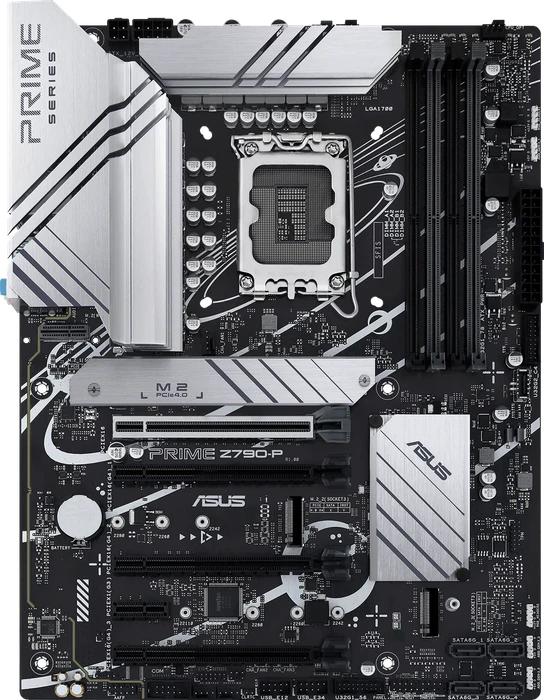
For comparisons sake we tested all our Z790 motherboards with the Core i9-13900K, and it's fair to say that the Prime is best running these at stock. They already boost well, but the 16+1 60A teamed Power Stage obviously has its limitations on such a thirsty processor. As we saw on our DDR4 vs DDR5 Showdown that's also available to read today, the Prime actually is a stormer with the Core i5-13600K installed. It's not bad on the Core i9 of course, none of the Z790s are, but it really shines and gives you some tweaking freedom with the Core i5. For that reason we're awarding it our OC3D Gamers Choice award. It's just a shame ASUS have dispensed with its role as an alternative to the all-black motherboards that dominate the market.
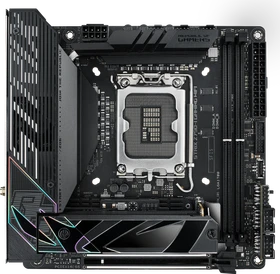
Priced at over $440, the Asus ROG Strix Z790-I Gaming Wi-Fi is a worthwhile but expensive option in the Mini-ITX space. You get the only option with PCIe 5.0-capable M.2 and Thunderbolt 4, a high-quality audio solution, the unique Hive peripheral, and a premium appearance. But four total internal storage options could be limiting, even for small form factor users.
It’s pretty expensive, but when it comes to mini-ITX motherboards, I can’t think of any other I would rather invest in. It’s very well made, offers more storage options than other boards of its size, and the addition of the desktop Hive unit to provide audio and I/O without needing to reach the rear of your computer is a game changer. Of course, when it comes to performance, it’s one of the fastest motherboards I’ve tested, even outpacing the flagship ASUS EXTREME in many benchmarks.

Mit dem ASUS ROG Strix B760-F Gaming WiFi (Hardwareluxx-Test) haben wir uns von der Ausstattung her eine attraktive LGA1700-Platine angeschaut, die auch die RAM-Übertaktung unterstützt. Nun haben wir unsere Blicke auf die Z790-Version geworfen, die zusätzlich auch die CPU-Übertaktung erlaubt. Hierfür hat ASUS auch bei der CPU-Spannungsversorgung ordentlich aufgestockt, doch der Käufer bekommt natürlich nicht das Beste vom Besten. Das ROG Strix Z790-F Gaming WiFi setzt auf ein 16+1-Phasendesign mit leistungsstarken 90-A-Wandlern von Renesas. Allein für die VCore stehen bis zu 1.440 A auf dem Papier und damit mehr als genug, um dem K-, KF- oder KS-Prozessor zu mehr Takt zu verhelfen. Dabei wurden die VRM-Kühler unserer Ansicht nach angemessen dimensioniert.

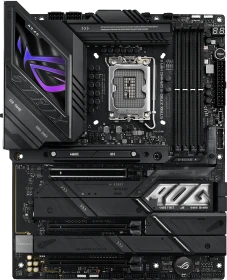
Mit dem ROG Strix Z790-E Gaming WIFI II liefert Hersteller ASUS ein wahres Flaggschiff-Mainboard für High-End Intel Zocker ab.

With Intel’s 14th generation Core processor launch or the “Raptor Lake Refresh” that happened back in October we’ve seen many motherboard manufacturers refresh their Z790 motherboard lineups and ASUS is no exception. These new motherboards bring with them more powerful VRM’s for the power hungry 14th generation core processors as well as some pretty impressive connectivity. Today we are taking a look at the ASUS ROG Strix Z790-E Gaming WiFi II which features a 18+1+2 power phase design, support for 8000+ MHz DDR5 memory, five M.2 slots, a total of 12 USB ports on the rear I/O with USB 3.2 gen 2×2 connectivity, and super-fast WiFi 7. Is this the board you need to pick up for your 14th gen build? Read on as we find out!
ASUS delivers a fantastic mid-range motherboard option that rivals much higher-end offerings when it comes to connectivity and performance.
Mit der 14. Core-Generation auf Basis von Raptor Lake-S Refresh hat Intel dem Sockel LGA1700 noch einen letzten Hauch Leben eingeflößt. Dies gilt natürlich auch für den Core i9-14900KS (Hardwareluxx-Test) als Prestige-Modell für Overclocker. So überrascht es auch weniger, dass die Mainboard-Hersteller einige ihrer vorherigen Modelle neu auflegen. So ist es zumindest mit dem ROG Strix Z790-E Gaming WiFi geschehen. Im letzten Jahr folgte das zweite Modell mit der Bezeichnung ROG Strix Z790-E Gaming WiFi II. Wir haben von ASUS dieses Modell erhalten und es für unsere Leser getestet.
Rechtzeitig zum Launch der neuen Intel Core 14 alias „Raptor Lake Refresh“-Prozessoren hat Asus mit dem ASUS ROG STRIX Z790-E GAMING WIFI II eine aktualisierte Variante des ROG STRIX Z790-E GAMING WIFI veröffentlicht. Obwohl sich das Boarddesign im Vergleich zum Vorgängermodell nur minimal verändert hat, wurde das Mainboard jedoch unter der Haube mit einigen Upgrades verbessert. In diesem Review möchten wir im Detail das Mainboard vorstellen und durch einen Praxistest seine Eigenschaften erforschen.

The ROG Strix Z790-E Gaming WiFi II is a standout high-performance motherboard, particularly for enthusiasts seeking top-tier features and future-proof connectivity. Its most notable feature is the advanced 18+1 phase VRM design, which provides exceptional power delivery and stability, making it ideal for overclocking Intel’s latest processors. Additionally, the board supports DDR5 memory speeds of up to 8000MHz and features PCIe 5.0 slots, ensuring it can handle next-generation GPUs and SSDs with ease. Wi-Fi 7 and an array of connectivity options further enhance the motherboard’s versatility, making it a strong choice for demanding gaming and productivity tasks. However, since Wi-Fi 7 is still emerging and compatible devices remain rare and expensive, this feature may not yet deliver immediate value to most users. One potential drawback is the premium price tag of RM 3,399, which may be prohibitive for many buyers. While the board delivers outstanding performance and advanced features, the cost is a significant factor. For those with the budget to invest in a top-tier platform, the ROG Strix Z790-E Gaming WiFi II is an excellent choice. However, more budget-conscious users might find it difficult to justify the high price.
Designed for extreme overclocking, but a solid all-around option if you’re willing to pay extra
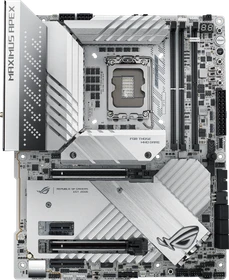
ASUS is well known for its high-end overclocking-friendly motherboards, and while that does often mean they come with a price premium, it’s not like their rival brands haven’t got their wallet-munching solutions either. At around £750 this board is certainly out of the reach of your typical consumer, but as I always say, unless you’re going to use nearly all the features it offers, you’re better off looking further down the product range.
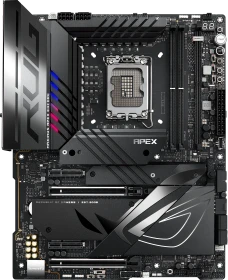
With that being said, the Z790 Apex Encore is one of the Z790 refresh motherboards I would recommend if you’re upgrading from the older Z690 Apex, especially the earlier 2021 batch. However, you will be paying a pretty hefty price tag for this motherboard, which is currently retailed at RM 3,699. Is it really worth paying the price for? Well, it’s a definite yes if you’re really after the overclocking features this board has to offer.
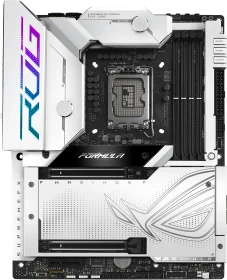
Asus’ ROG Maximus Z790 Formula’s ($724.99) high-end hardware, premium appearance, and hybrid cooling solution make it a unique board in the market. Look no further if your custom water cooling build calls for VRM cooling and some of the finest hardware available.
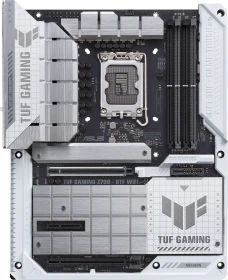
Wir haben bereits drei Z790-Refresh-Mainboards der renommierten Hersteller unter die Lupe genommen. Das ROG Maximus Z790 Dark Hero (Hardwareluxx-Test) von ASUS ist ein absolutes Oberklasse-Modell und hat viel zu bieten. Nun werden unsere Blicke auf den Gaming-Einstieg gelenkt. So musste sich auch das TUF Gaming Z790-Pro WiFi in unserer Redaktion behaupten. Wie gut das der Platine gelang, können unsere Leser in diesem Test erfahren.
ASUS has always carried itself as a premium brand, something that’s often reflected in its higher prices, especially on its RoG series of hardware. However, while ASUS has had a few hiccups in the tech market this year (and let’s be impartial here, so have all the other brands from time to time), one area they usually get it all right has to be motherboards. At a little under £500, the ASUS ROG STRIX Z790-A Gaming-WiFi II is far from their most expensive, but it most certainly isn’t affordable either, so you would expect a lot of features and good performance for your money. On the features side, it seems to hold up, and of course, we’ll get to the performance shortly.
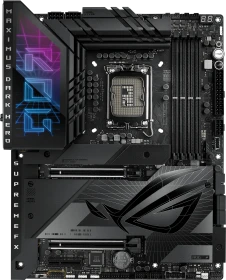
Asus’ ROG Maximus Z790 Dark Hero ($699.99) steps up its game, with native 14th-gen CPU support, an updated appearance, and five M.2 sockets. It still comes with robust power delivery and cooling, Thunderbolt 4, and a flagship-class audio solution.
Wer in nächster Zeit ein neues Intel-System zusammenstellen möchte - die begrenzte Aufrüstperspektive angesichts des anstehenden LGA1851 spricht beim direkten Kauf einer leistungsstarken CPU nicht dagegen - der braucht einen LGA1700-Unterbau. In PCGH 04/2024 testet die Redaktion fünf neue Boards, eines davon gibt es hier im Schnell-Test, und zwar das Asus ROG Z790 Dark Hero.

Unseren zweiten Blick auf die Z790-Refresh-Mainboards richten wir auf das ROG Maximus Z790 Dark Hero von ASUS, das im Vergleich zum Gigabyte Z790 AORUS Elite X WiFi7 (Hardwareluxx-Test) in der Oberklasse-Riege mitspielt und auch wieder Thunderbolt 4 mit an Bord hat. Wir werden die Platine nicht nur von der Performance her mit Gigabytes Z790-Mainboard festhalten, sondern uns auch die Unterschiede zum normalen Hero-Modell anschauen.
The ASUS ROG Strix Z790-A Gaming WiFi D4 is a very affordable way to get on the Z790 train, and has the performance and connectivity to back up the Strix branding, thus it wins our OC3D Gamers Choice Award. In the UK, ASUS' ROG Strix Z790-A Gaming WIFI D4 motherboard is available for prices around £399.99 at various UK retailers.
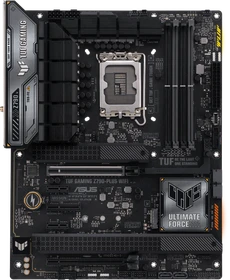
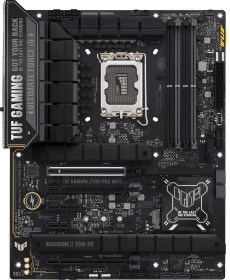
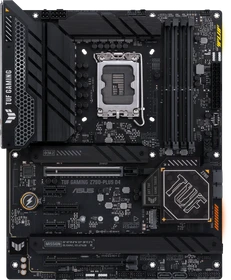
Das ASUS TUF GAMING Z790-PLUS WIFI D4 ist derzeit ab 370 € im Preisvergleich gelistet und bleibt im Segment der Z790 TUF-Boards alternativlos, da DDR5-Boards noch nicht im TUF-Branding angekommen sind. Wer ein Z790 Board mit DDR5 Standard von ASUS sein Eigen nennen möchte, muss somit auf das ROG-Branding zurückgreifen. Doch alles in allem liefert das Board eine sehr gute Multicore-Performance, ein ausgeklügeltes Kühlkonzept und durch Overclocking weitere Geschwindigkeitsreserven.
The Bottom Line While at the bottom of the ROG product stack, the Strix Z790-E is still a fantastic motherboard that offers a better bang for your buck than other motherboards.
ASUS hat mit seinem ROG STRIX Z790-E GAMING WIFI ein Mainboard konzipiert, das gleich mit fünf M.2 Slots, vier SATA 6-Anschlüssen und zwei USB 3.2 Gen 2×2 Type-C-Anschlüssen punkten kann. Die auch für das Overclocking geeignete Spannungsversorgung mit 18+1 Phasen (VRMs mit 90 A Leistungsstufen) sowie das integrierte AI-Overclocking welches mit nur einen Mausklick abgerufen werden kann, brachte in unserem Fall stolze 76 % Mehrleistung. Wenn man dann noch die 7800+ MHz des Arbeitsspeichers laut Herstellerangaben vor Augen hat, wird dieses den Enthusiasten ein Grinsen ins Gesicht zaubern
This is one of the easiest conclusions I’ve had to write in a while, as this motherboard is simply brilliant in almost every regard. There is a little room for improvement, or at least, a few features that can be on similarly priced motherboards, but they’re hardly deal breakers. 2.5 GbE LAN and WiFi 6E are the main ones, both of which are more than enough for my internet speeds and home network capabilities, but some boards already have 5 GbE or even 10 GbE as well as WiFi 7 on this chipset. There is no 40 Gbps USB 4/Thunderbolt either, but admittedly, if these features were included and with all the other features already included on this motherboard, it would undoubtedly increase the price quite a bit. This is built to be a gaming motherboard, and it certainly delivers in that regard. It consistently delivered some of the best 1% lows and average frame rates across multiple games in our testing. It also scores very strong in synthetic gaming benchmarks, with all-around extremely fast CPU, memory, storage and GPU performance throughout all of our testing. However, the CPU performance is really spectacular, thanks to the overall impressive efficiency, powerful VRM configuration, and truly excellent cooling solutions, it was able to run the CPU better than expected, resulting in a motherboard that’s both great for gaming, but also content creation such as video rendering.
If there was an enthusiast motherboard that just works … this is it. After installing the Intel Core i9-13900K, DDR5-6200 ram, GeForce RTX 3090 and the rest of the components … all I did was enable XMP in the BIOS and left everything at default. The system booted up first time with no issues whatsoever. Take note Asus … if you guys can do it with this motherboard, I’m sure you can do it with your ROG Crosshair X670E Hero 😉
Feature-wise, the ROG Strix Z790-E Gaming Wifi might still be a bit lacking to some enthusiasts out there but still, I think it is packed with a handful of good features I need. Fast network connectivity options, powerful power design with reasonable cooling solutions, lots of USB ports, a good amount of storage options, and PCIe 5.0 support, which is technically more than enough for most mainstream users out there. The QOL features such as Q-latch and the improved Q-release are definitely my favorite out of all.
You could use this for gaming, but why bother when an ASUS ROG STRIX Gaming is a fraction of the price and gives you a higher frame rate? This motherboard is built for usage levels that we didn’t even test it to. Dual PCIe 5.0 slots mean you can add dual workstation GPUs for some seriously punchy rendering performance. Or you could add PCIe 5.0 RAID cards with a plethora of the latest NVMe drives for gigabits per second storage options. That’s what the EXTREME is for.
We're a little amazed at how good the 13900K and 13600K perform. And a good processoe needs a good motherboard. Of course, the Extreme has it all, but starting at USD 999, the product is limited to only some wealthy people. That's an entirely different discussion though, as we need to test the hardware, performance and features. And in that regard, the Extreme has it all. Name something relevant for the platform, and it's there, from WIFI6e to 10 GigE jacks. The VRM design is more than you could ever wish or need, and the looks are just unique with a Live Dash and that wonderful-looking Matrix. The DNA of PCIe gen 4.0 and 5.0 breathes through the platform, offering you five NVMe M2 SSDs based on a blend of these connections, all heatsink cooled. The platform will also support the very fastest memories (think 7200 MHz - we just received a kit and will soon look at that also); more on that in a separate article though. Hardware wise this puppy is excellent; we had no stability issues, the WIFI6 on the 5 GHz band is blazing fast, the 2.5/10 GigE LAN jacks perform well, 105 A Power Stages and loads of connectivity in the form of M2, SATA and USB ad thunderbolt, yeah it's called extreme for a good reason. It is reasonable to assume that this motherboard is not intended for casual gamers or users but rather for well-off computer enthusiasts with an oversized spending pocket. This is not a realistic solution for a budget-conscious crowd. However each market has its niche crowd, and the Maximus Extreme falls precisely into that category. So as a chunk of hardware it's fantastic but value for money wise there will be far better deals available. In this respect, the motherboard will no doubt outperform the competition. This is the ideal product for people who live and breathe the ASUS ROG DNA and desire only that, the best.
Alle Angaben ohne Gewähr. Die gelisteten Angebote sind keine verbindlichen Werbeaussagen der Anbieter.
* Preise in Euro inkl. MwSt. zzgl. Versandkosten. Bei der Auswahl von "inkl. Versand" beinhaltet der dargestellte Preis die Kosten für den Versand. Die nicht angeführten Kosten in andere Länder entnimm bitte der Website des Händlers. Bei Sortierung nach einer anderen als der Landeswährung des Händlers basiert die Währungsumrechnung auf einem von uns ermittelten Tageskurs, der womöglich nicht mit dem im Shop angegebenen Preis exakt übereinstimmt. Bitte bedenke außerdem, dass die angeführten Preise periodisch erzeugte Momentaufnahmen darstellen und technisch bedingt teilweise veraltet sein können. Insbesondere sind Preiserhöhungen zwischen dem Zeitpunkt der Preisübernahme durch uns und dem späteren Besuch dieser Website möglich. Händler haben keine Möglichkeit, die Darstellung der Preise direkt zu beeinflussen und sofortige Änderungen auf unserer Seite zu veranlassen. Der maßgebliche Preis für den Verkauf durch den Händler ist der tatsächliche Preis des Produkts, der zum Zeitpunkt des Kaufs auf der Website des Händlers steht.