 Österreich
 EU
EU
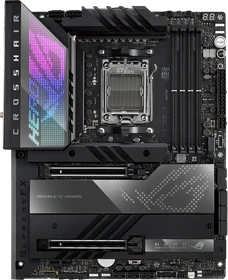
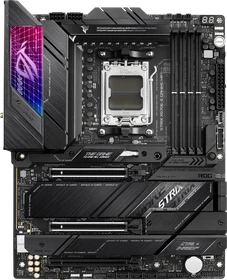
ASUS ROG Crosshair X670E Hero (AMD AM5)
90MB1BC0-M0EAY0
um
€ 1744,78
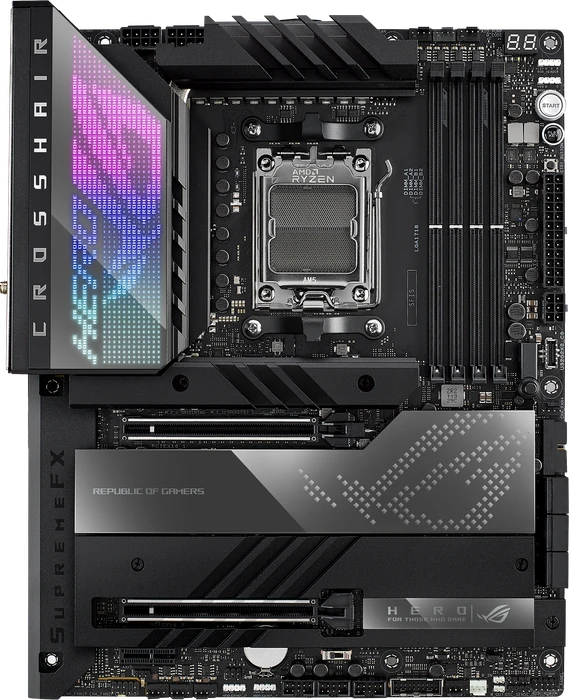





To wrap this review up, is the ASUS ROG Crosshair X670E right for you? Echoing the same viewpoint in each and every AM5 review so far, AMD is betting that PCIe Gen 5 devices will become an integral part of computers in the next few years. The B650E and X670E motherboards fundamentally have the advantage of built in support today, designed to stay relevant for the entire life cycle of the AM5 platform.

Today we’ll be taking a look at one of Asus’s flagship AM5 motherboard – the ASUS ROG Crosshair X670E Hero. It utilizes AMD’s high-end X670E chipset and supports all the latest AMD Ryzen 7000 series of processors on the new AM5 socket (LGA1718).
One area AMD have always managed to get right, even in their darkest hours, is their commitment to a particular socket. AM3 was around for years, and whilst AM4 wasn't around for quite as long as that venerable socket, it was largely killed off because of the rapid evolution of the technologies around which it was based. If you think how long DDR3 was around, the lifespan of DDR4 seemed relatively brief. PCI Express 4.0 was like a Mayfly compared to PCIe 3.0, and yet we're already at PCIe 5.0 on the major models. Naturally if you want to employ all the high end technologies you need to revise your platform, which is why AM5 is here. Thankfully though all of those aforementioned technologies are relatively new and thus should be with us, maturing, for a while. With AMDs track record for sticking with a socket, and the newness of the "5" technologies then any purchase today should be about as futureproof as you can reasonably get.
It's not that we don't like this HERO, it's just that it's too expensive. Combine that with the Ryzen 7000 heat levels and we doubt that this is an attractive platform to now? Hardware wise this puppy is excellent, we had no stability issues, WIFI6 is blazing fast, the 2.5 GigE LAN jack performs well, it has a strong VRM design with 105 A Power Stages and loads of connectivity in the form of M2, SATA and USB. It easily is one of my favorite motherboards if it weren't 809 EUR. With 18+2 power phases for the CPU there are no issues with processor support either, including the power subsystem's temperature. Whilst DDR4 memory is currently substantially less expensive than DDR5 memory; with a frequency of 5200 and timings of CL40 or lower you'll be there 99% also (compared over premium 6000 MHz kits). Let me also add that this motherboard comes with WIFI 6E compatibility (6 GHz band), so you're future-proof until WIFI7 arrives also. ASUS did not provide pricing information in advance of the release, the German press release revealed the 800 EUR price, while price watch engines are already listing this product at 700 EUR. of course there will be cheaper alternatives that share many of the X670E HERO features. It is safe to say that this is not a product for the casual gamer or user, it is targeted squarely at well-heeled computer hobbyists. Conservative spenders should dismiss this as a viable option. The cheapest solution in the X670 range will be the PRIME X670-P, but even the cheapest one would cost well over 325 EUR (!). ASUS has packed the Crosshair HERO full of high-speed connectivity, with a massive VRM that is just overengineered in every way. In that regard the motherboard is ahead of its competitors. This is the perfect prospect for those who already know they like ASUS ROG motherboards to treat themselves without feeling bad about it, however at a very ... VERY steep price premium.

The thing with the Ryzen series 7000 is simple, they perform well, really well even. This is among the best 8-core processors that we have had our hands on in a while. However complete _not_ in line with what we expect from AMD; they run very hot. While AMD guarantees this is all absolutely fine, we do think that end-users will simply not be comfortable with such values. AMD is creating an option to lower TDP and thus heat with a BIOS option, but obviously, that'll hurt performance. And that's not why you are spending top dollar.
If it's features you want when you start looking at your options for the new AM5 motherboards, the ROG Crosshair X670E Hero doesn’t lack them that is for sure. Just with its USB options alone, you will be set. The rear I/O has 8 Type-A connections and four Type-C including two USB4. Not to mention three USB 2 headers, two 3.2 headers, and one USB 3.2 Gen 2x2 for internal headers that can give you 11 more front panel USB connections. Then you add in the 4 M.2 slots on the board (two of which are PCIe 5.0) and the included add-in card as well which is also PCIe 5.0 as well. It isn’t to the level of the ROG Maximus Z690 Extreme, but it isn’t too far off. You even get the convenient push button release for the top PCIe bracket for easier removal of your GPU in a tight space.

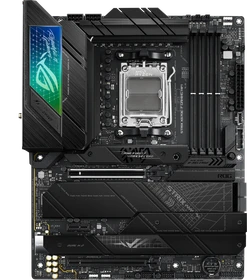
Das Strix-Mainboard macht seine Sache rundherum gut, wir haben nur ganz wenige Dinge zu bemängeln. Die langen Bootzeiten bei der Veränderung von Speicherparametern nerven, sind jedoch eher ein Problem von AMDs AGESA-Code als von ASUS. Darüber hinaus stören nur die vielen Dienste, die bei der Softwareinstallation mit ins System kommen – und je nach Anspruch auch der Fakt, dass keine Treiber beiliegen. So kann es bei der Erst-Inbetriebnahme zu Problemen kommen, da auch ein aktuelles Windows-11-Build von Anfang Oktober 2022 keinen passenden Netzwerktreiber mitliefert (und dieser deshalb an einem anderen System heruntergeladen werden muss). Abseits dessen haben wir keinen Grund zu meckern. Also aus technischer Sicht eigentlich alles gut.
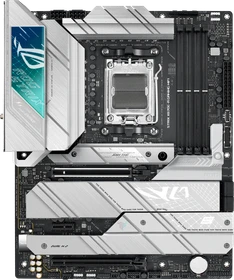
The E series in that 670E could have been short for Expensive, with a price just below the 600 EUR we feel that only very few people will be interested. Board wise, we cannot complain, though; you'll retrieve connectivity options galore with the ASUS ROG Strix X670E-E Gaming WiFi motherboard. In many ways, the ROG Strix X670E-E Gaming WiFi is a refurb of the ROG Crosshair X670E Hero. The Crosshair X670E Hero and the 18+2 paired power stage design both have VRM/MOSFET ratings of 110A, allowing you to tweak heavily, unfortunately, Ryzen 7000 processors run so hot that it will be a waste of investment spending time on that. You'll find some extra's inside the box in the form of a nice thick heatsink for the NVMe SSDs. With eight 4-pin fan headers, the ROG Strix X670E-E Gaming WiFi has one more 4-pin fan header than the Crosshair X670E Hero; impressive! The existing Realtek ALC4080 in combination with Savitech SV3H712 DAC are of proper quality. With the addition of Wi-Fi 6E (AX210), you are up-to-date when it comes to modern networking (of course, you need a compatible infrastructure and network topology to follow). In addition, the AX210 chip also supports Bluetooth 5.2. Among the most prominent features are the excellent connectivity, both external and internal, with all USB ports operating at 10 Gbps and two USB-C Gen2x2 connectors operating at 20 Gbps. This, of course, is a full AM5 motherboard; the ASUS ROG Strix X670E-E Gaming WiFi will be compatible with several processors released by AMD. It also means digging deep inside your pockets. The price increase has been substantial, since the equivalent model in the X570 cost €450, even though it is something we see in virtually all motherboards. It is a recommended model for quality and performance within its price range, more than €200 cheaper than the X670E Hero. We do value this board as it is feature rich and very versatile.
As you can see from our testing there is, as is becoming the norm, very little to choose between any of the available AM5 options. Which one you choose will largely depend upon your budget - there is a £300 gap between the ASUS Prime and the ASUS Crosshair Hero for example - and the feature set you wish to own. The ASUS ROG Strix X670E-F Gaming WiFi sits somewhere in the middle ground of the price bracket, but that doesn't mean that you're giving up too much if you choose the model that is almost guaranteed to be the biggest seller in the ASUS range. If we had to try and describe it in a pithy manner we might suggest it's the motherboard for those of you who want features that you can use today, rather than paying extra for elements which might not be used for a generation. For example, the Strix F doesn't have any USB 4.0 ports on the backplate, with a single Thunderbolt internal header for such ventures. Additionally the LAN is 2.5G, an amount of bandwidth that all but the most hardcore networkers will find to be sufficient. However, there are nods to the current leading-edge technologies. The Strix X670E-F has four M.2 slots and two of those are dedicated PCI Express 5.0 ones, so if you happen to be super flush with cash and unable to have your storage solution be quick enough to sate your needs then you have not one but two places to install those ultra-fast drives. Naturally you might give up a few PCI Express lanes for your graphics card, but even the very latest GPUs struggle to saturate PCIe 4.0, so it's a good trade-off. Whilst our tests show that anything you choose should run at a similar speed, the Strix F employs ASUS own take on the Precision Boost Overdrive feature that AMD utilise, which can take your CPU to new heights in very intensive scenarios. We capped the thermals at 80°C and the motherboard managed to keep our Ryzen 9 7900X there without issue, and without compromising performance. We've already showed you in the Ryzen review how the Eco mode can do similar thermal tricks but at a significant performance hit. To be able to do this thermal taming with no loss in performance is almost witchcraft and is enough to award the ASUS ROG Strix X670E-F Gaming WiFi our OC3D Performance Award.
Auch ein Jahr nach dem offiziellen Launch sind AM5-Plattformen bzw. Mainboards kein Schnäppchen, wobei unser Testmuster schon zu den günstigeren Modellen zählt.

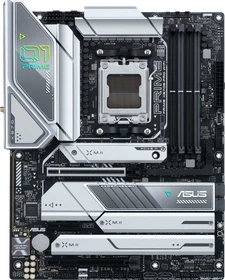
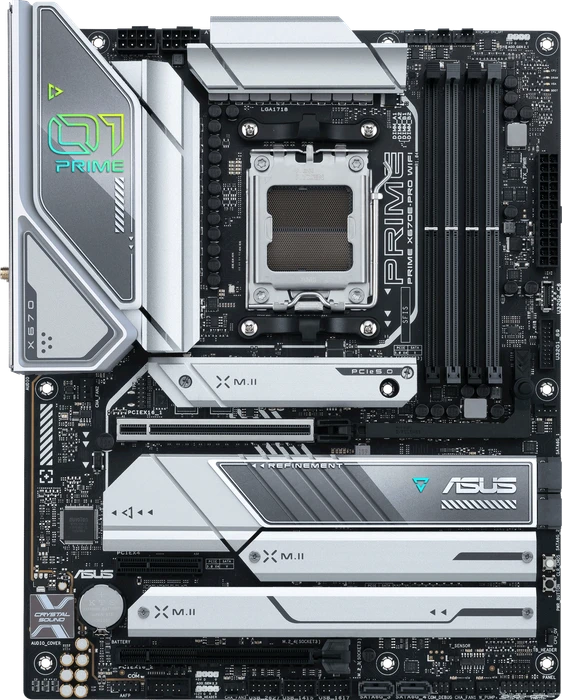
I think ASUS have a lot to be proud of with their latest motherboard, and it fits the system I’ve always used when purchasing ASUS motherboards in the past. I look at the ROG XTREME and think “I want that motherboard” I start to save up some money, realise this I don’t want to spend nearly £1000 on a motherboard and go buy a PRIME or TUF series instead and live happily ever after. However, after doing that for a few generations, and seeing the performance here today, I think I’d just b-line right to the PRIME X670E-PRO WIFI as it is one of the best performing and one of the most consistent motherboards we’ve tested.
The ASUS Prime X670E-Pro WiFi definitely finds itself in the latter of those two camps. Primarily (heh) because as part of the regular ASUS range instead of their famous Republic of Gamers brand, it is a motherboard shorn of those flashy considerations and with a price tag to match. We've seen loads of Prime motherboards in our time and they usually were the white model in the ASUS range, and so earned a place in the hearts of all those who had grown weary of a black PCB in the depths of their rig. This time around ASUS have, instead, moved the Prime from white to a light silvery colour. How much you can tolerate this is naturally a matter of personal preference, but we think it's a bit of a misstep. Anyone who wants a white motherboard will be disappointed at how not white it is, and those who like the dark system with nothing but RGB lighting will find it too bright. The niche of people who neither want a white based system nor a black one is a sliver, particularly as all the accoutrements that make up a system are usually found in one of those two colours. There aren't many silver fans or AIOs on the market for one thing.
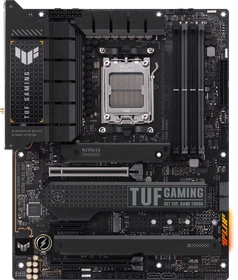
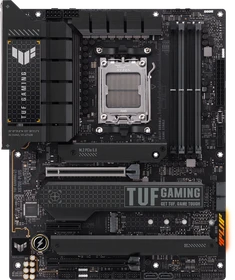
Wer auf der Suche nach einem soliden AM5-Mainboard ist, kann sich im Preisbereich bis 300 Euro umschauen und dort sind auch attraktive Mainboard-Modelle zu finden. Soll es dann jedoch gleich ein X670E-Mainboard sein, kommt das ASUS TUF Gaming X670E-Plus in Frage, dass es auch als ASUS TUF Gaming X670E-Plus WiFi inklusive WiFi-6E- und Bluetooth-5.2-Modul gibt. Auch wenn ASUS mit dem TUF Gaming X670E-Plus (WiFi) nicht alle Register zieht, die mit einem X670(E)-Mainboard möglich sind, kann die Platine dennoch als solide bezeichnet werden. Für einen Preis ab 299 Euro bekommt der Interessent für die AM5-CPU ein 14+2+2-Phasendesign mit 70-A-VCore-Power-Stages (in Summe 980 A) und dies reicht für alle Lebenslagen und für alle AM5-Prozessoren absolut aus. Im Overclocking-Test wurden gute Ergebnisse erzielt und DDR5-8000 sind in der Praxis drin. Weiterer Positiv-Punkt ist, dass die CPU-Spannungsversorgung sehr effizient mit geringer Abwärme agiert. Natürlich wird diese mit einem Ryzen 9 7900X und 7950X etwas anders ausfallen. PCIe 5.0 wird in Verbindung mit Ryzen 7000 in vollem Umfang ermöglicht. Ein PEG-Slot ist bis PCIe 5.0 x16 angebunden und auch ein M.2-M.Key-Anschluss mit bis zu PCIe 5.0 x4 ist an Bord. Mit einer 8000G-APU sind hierbei natürlich einige Einschränkungen zu beachten. In Summe stellt das ASUS TUF Gaming X670E-Plus (WiFi) viermal M.2 M-Key zur Verfügung. Den schnellsten Anschluss mit PCIe 5.0 x4 nun einmal außen vor gelassen, gibt es über den AM5-Prozessor noch einen Steckplatz bis PCIe 4.0 x4. Ein weiterer Steckplatz bis PCIe 4.0 x4 arbeitet über den X670-Chipsatz und der letzte Anschluss ebenfalls, hier jedoch nur bis PCIe 3.0 x4. Beachtet werden sollte, dass mit den Werkseinstellungen nur der PCIe-3.0-x2-Mode aktiv ist. Im BIOS kann jedoch der PCIe-3.0-x4-Mode erzwungen werden, wobei dann die ersten beiden SATA-Ports unbrauchbar werden. Gespart hat ASUS unserer Ansicht nach beim Audio-Codec. Anstatt des ALC4080 ist es am Ende der ALC1220 von Realtek geworden. Auch der praktische PCIe-Q-Release-Button ist nicht vorhanden, den ASUS auf einzelnen TUF-Gaming-Platinen bereits einsetzt und bei den ROG(-Strix)-Platinen standardmäßig dabei ist. Jede Menge USB-Anschlüsse werden natürlich bereitgestellt: Einmal USB 3.2 Gen2x2, viermal USB 3.2 Gen2, achtmal USB 3.2 Gen1 sowie sechsmal USB 2.0. Klar erkennbar sind die USB-3.2-Gen1-Ports in der deutlichen Überzahl. Beim verbauten RTL8215BG-LAN-Controller von Realtek werden einige erleichtert aufatmen, die kein Risiko mit Intels I225/I226-V-Controller aufgrund von Verbindungsabbrüchen eingehen möchten. Die Version ohne WLAN kostet mindestens 288 Euro und inklusive WLAN-Modul sind es knapp weniger als 300 Euro. Für ein X670E-Mainboard daher relativ preiswert. Doch sollte im Hinterkopf behalten werden, dass es für denselben Preis teilweise besser ausgestattete B650E-Mainboards gibt. Sofern also nicht unbedingt zwei Promontory21-Chips benötigt werden, sind die B650(E)-Mainboards alternativ absolut zu gebrauchen und bieten den positiven Nebeneffekt, dass sie etwas weniger Strom für sich beanspruchen.

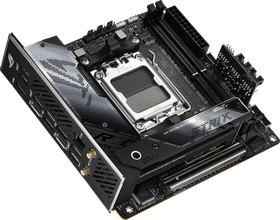
Die beiden AMD-Promontory21-Chips (die den X670-Chipsatz bilden) auf einem Mini-ITX-Mainboard mit sehr begrenztem Platz unterzubringen, stellt schon nahezu eine Kunst dar. Wobei es auch generell schwierig ist, auf dem kleinen Formfaktor eine üppige Anzahl an Anschlussmöglichkeiten bereitzustellen. ASUS hat sich mit dem ROG Strix X670E-I Gaming WiFi dieser anspruchsvollen Herausforderung gestellt. Wir haben die kleine Platine für unsere Leser getestet.
I absolutely love this motherboard, actually, I’m going to get right to it and say that it’s by far my favourite X670E motherboard so far. Not only does it have the performance to take on the big ATX motherboards we put it up against, but it does so while being a very trendy mini-ITX form factor. That’s fantastic for those who want a seriously fast gaming or work PC in a smaller form factor.
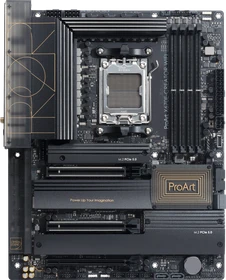
Suchst du aber möglichst viel IO, USB 4 / Thunderbolt 4 und 10Gbit LAN, dann ist das ASUS ProArt X670E-Creator WIFI klar deine beste Wahl!

The Asus ProArt X670E-Creator is arguably the best-equipped board for those who need features like fast connectivity. The 10 GbE LAN and USB 4 (40 Gbps) support and a DisplayPort input allow creatives to utilize speedy, specialized storage and peripherals for more efficient workflows.
Gerade der Ryzen 9 7950X (Hardwareluxx-Test) mit seinen 16 Kernen und 32 Threads eignet sich besonders gut für kreative Arbeiten, die viel Rechenleistung abverlangen können. Passend zum Thema Content Creation gibt es von den bekannten Mainboard-Herstellern hier und da "maßgeschneiderte" Platinen. Ein Beispiel ist das ASUS X670E-Creator WiFi aus der ProArt-Serie. In einem Test werfen wir einen Blick auf den Content-Creation-Unterbau für AMDs Ryzen-7000-Prozessoren.
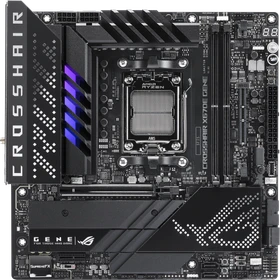
Ein "ROG Apex" für reine Overclocker gibt es für den Sockel AM5 nicht. Bisher ist es ausschließlich den Intel-Mainboards vergönnt, wie zuletzt mit dem ROG Maximus Z790 Apex Encore. Für den Sockel AM5 und damit für AMDs Ryzen-7000/8000G-Prozessoren bietet ASUS stattdessen mit dem ROG Crosshair X670E Gene ein interessantes Mainboard an, das sehr in Richtung CPU- und RAM-OC getrimmt ist und daher von uns den Titel "Mini-Apex" für den Sockel AM5 regelrecht verdient hat. Mit dem sehr kräftigen 16+2+2-Phasendesign und 110-A-VCore-Power-Stages und den beabsichtigten zwei DDR5-UDIMM-Speicherbänken wird dies mehr als verdeutlicht. Wie alle ROG-Gene-Platinen, liegt auch das ROG Crosshair X670E Gene im quadratischen Micro-ATX-Format vor, das von ASUS bis in die letzten Ecke mit jeder Menge Features und Funktionen gefüllt wurde. Auffällig sind natürlich die zwei DDR5-UDIMM-Speicherbänke, die durch die geringe Distanz zum CPU-Sockel ein erhöhtes RAM-Overclocking-Potential erlauben sollen. DDR5-8000 war ohne tieferes Eingreifen durch uns ein absolutes Kinderspiel und einfach zu bewerkstelligen. Während der Overclocking-Session bringt das ROG Crosshair X670E Gene bis auf Spannungsmesspunkte alles Wichtige mit: Power-, FlexKey-, SafeBoot-, Retry- und sogar zwei BCLK-Buttons sind zur Stelle. Auch ein Slow-Mode wird für die Stickstoffkühlung unterstützt. Ein Flash-BIOS- und Clear-CMOS-Button sind natürlich ebenfalls extern vorhanden. Durch die lediglich zwei DDR5-UDIMM-Bänke für bis zu 96 GB RAM war auch der Platz für den ROG-Gen-Z.2-Slot für das gleichnamige Modul vorhanden, das ASUS auch beim ROG Crosshair X670E Extreme zur Verfügung stellt. Auf dem Modul ist Platz für zwei weitere PCIe-SSDs im M.2-M-Key-Format: Ein Steckplatz wird von der AM5-CPU/APU angesteuert und der andere Steckplatz bis PCIe 4.0 x4 über den X670-Chipsatz. Beim ersten Steckplatz kommt es drauf an, welche CPU im Sockel steckt: Mit Ryzen 7000 bis PCIe 5.0 x4, mit Ryzen 8700G/8600G bis PCIe 4.0 x4 und mit Ryzen 8500G/8300G nur bis PCIe 4.0 x2. Auf dem Mainboard selbst befindet sich ein dritter M.2-Anschluss bis PCIe 5.0 x4 (Ryzen 7000) und bis PCIe 4.0 x4 (Ryzen 8000G). Doch auch die restliche Ausstattung weiß zu überzeugen. Ein PEG-Slot arbeitet über den AM5-Prozessor und ist vorrangig für eine dedizierte Grafikkarte konzipiert. Bei der Anbindung kommt es auch hier drauf an, welcher AM5-Prozessor im Sattel sitzt. Wird ein Ryzen-7000-Prozessor genutzt, geht es bis PCIe 5.0 x16 hinauf. Mit einem Ryzen 8700G/8600G sind es nur noch maximal PCIe 4.0 x8 und mit den noch kleineren 8500G/8300G (Letztere nur als OEM) sind es gar nur PCIe 4.0 x4. Hinzu kommt in jedem Fall ein PCIe-4.0-x1-Steckplatz über den X670-Chipsatz. Ein USB-3.2-Gen2x2-Header für die Gehäuse-Front mit der USB-PD-Option bis 60 W und zusätzlich sechsmal USB 3.2 Gen2, zweimal USB 3.2 Gen1 und viermal USB 2.0 bieten sich im USB-Bereich an. Ergänzend kommen allerdings auch zwei USB4-Ports über Intels JHL8540-Thunderbolt-4-Controller hinzu. Für den Netzwerk-Bereich bietet einerseits der Intel-I225-V-Controller in dritter Revision und andererseits auch ein WiFi-6E-Modul (Intel WiFi 6E AX210) samt Bluetooth-5.3-Unterstützung. Doch gibt es auch Schattenseiten am ASUS ROG Crosshair X670E Gene? Aufgefallen ist uns eine hohe Leistungsaufnahme unter Last, die allerdings nicht jeden wirklich stören wird. Mit einem Preis von mindestens 433 Euro ist das Board natürlich nicht günstig. Allerdings in Anbetracht der Ausstattung ist das ASUS ROG Crosshair X670E Gene im Vergleich zu anderen Modellen, wie dem hauseigenen ROG Crosshair X670E Hero geradezu attraktiv, wenn man mit dem Micro-ATX-Format zurechtkommt.
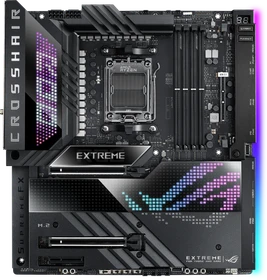
There are motherboards, and then there are motherboards… if you know what I mean. The ASUS ROG CROSSHAIR X670E EXTREME is in a special league of super-expensive feature-packed unicorn levels of insanity that few of us ever get to enjoy in our personal PCs. Certainly, it’s more expensive than any motherboard I’ve ever put into my own PC at home. We’re talking very little change from £1000 right here. If that’s enough to make your blood run cold, it’s best you found out now, rather than after you’ve fallen in love with it.
Three flagship-class X670E boards go head to head to see who reigns supreme!
The ASUS ROG X670E Crosshair Extreme AM5 motherboard comes packed with technology, but it does come at a hefty cost.
Alle Angaben ohne Gewähr. Die gelisteten Angebote sind keine verbindlichen Werbeaussagen der Anbieter.
* Preise in Euro inkl. MwSt. zzgl. Versandkosten. Bei der Auswahl von "inkl. Versand" beinhaltet der dargestellte Preis die Kosten für den Versand. Die nicht angeführten Kosten in andere Länder entnimm bitte der Website des Händlers. Bei Sortierung nach einer anderen als der Landeswährung des Händlers basiert die Währungsumrechnung auf einem von uns ermittelten Tageskurs, der womöglich nicht mit dem im Shop angegebenen Preis exakt übereinstimmt. Bitte bedenke außerdem, dass die angeführten Preise periodisch erzeugte Momentaufnahmen darstellen und technisch bedingt teilweise veraltet sein können. Insbesondere sind Preiserhöhungen zwischen dem Zeitpunkt der Preisübernahme durch uns und dem späteren Besuch dieser Website möglich. Händler haben keine Möglichkeit, die Darstellung der Preise direkt zu beeinflussen und sofortige Änderungen auf unserer Seite zu veranlassen. Der maßgebliche Preis für den Verkauf durch den Händler ist der tatsächliche Preis des Produkts, der zum Zeitpunkt des Kaufs auf der Website des Händlers steht.